
If you start from a new installed system (os ,db , reinstall), you can restore the database by doing following steps:
1 . Install SQL Server Backup on new system .
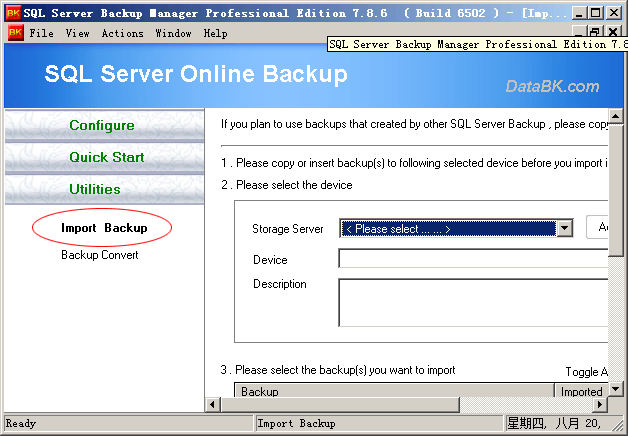
2 . Prepare and import backups to new installed SQL Server Backup , a latest full backup and it's later backups required.
3 .Create a restore job to restore your database .
4 . (Optional) . If you want a new database , just enter it in Restore As field .
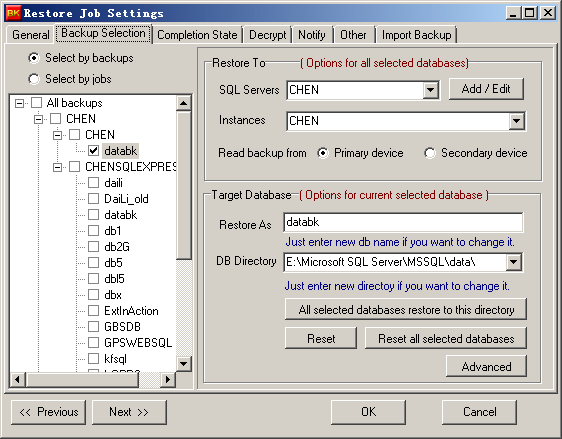
5 . (Optional ) . If target database has new directory , please enter new db directory in "DB Directory" field , see above image.
**please note that
You need not restore the system database to the new database (master , msdb , temp .etc), because SQL Server will create the database by restoring a backup.