SQL Server Backup
A professional backup and restore utility for Microsoft SQL Server !
DATABK.COM
Home   |  Affiliate  |  Contact  |  Links
      SQL Server Backup is a backup and restore utility for Microsoft SQL Server 2005 , 2000 , 7.0 , MSDE , WMSDE , SQL Server 2005 Express. It can backup SQL Server database to local hard disk or network storage device ,and restore database with a new name or move database files to a new location , restore database to the point of failure . It fully integrates with Windows Task Scheduler engine , supports data compression and encryption . It's user-friendly wizard and flexible design enable you backup and restore SQL Server database without deep knowledge of SQL Server.
SQL Server Backup v7.2.0

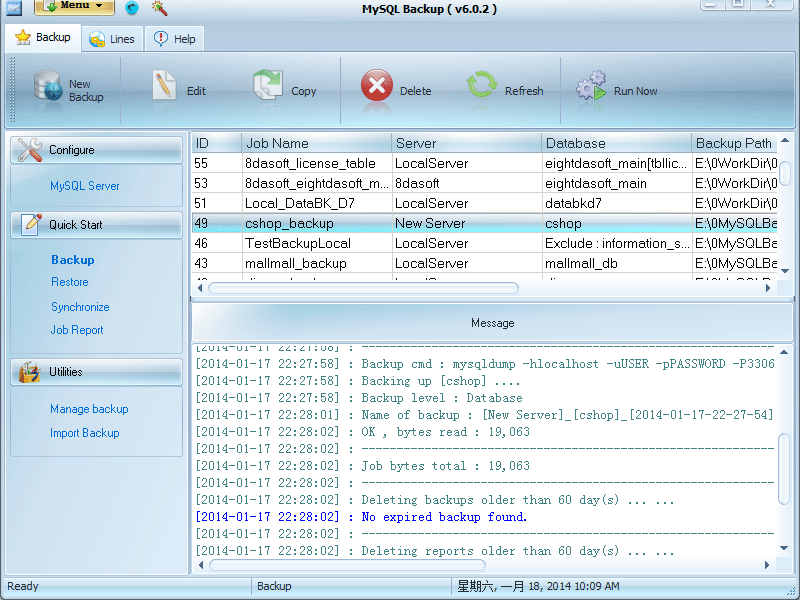
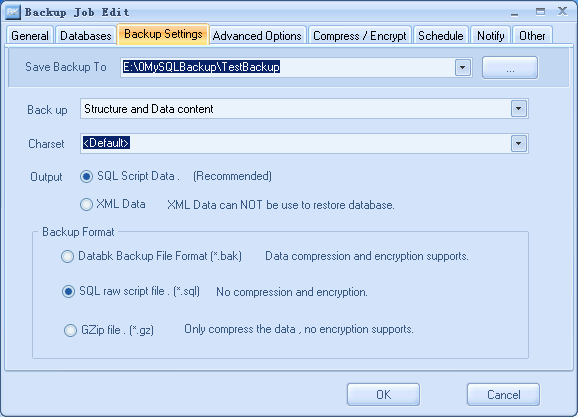
View Screenshot Walkthroughs
( 2008.06.17 )

Key features of SQL Server Backup software
  • Back up multiple databases in one single job.
  • Flexible backup strategies supports , basic on backup counter or backup size.
  • Multi SQL Server instances backup supports.
  • Easy to restore database to a refresh machine or other server.
  • Restore database to point of failure.
  • Microsoft SQL Server 7.0 , 2000 , 2005 , SQL Server 2005 Express , MSDE , WMSDE supports.
  • Restore database to a point in time
  • Supports SQL Server database full backup and differential backup ,transaction log backup.
  • Data compression and encryption supports
  • Log shipping supports in professional edition.
  • Backup SQL Server database to local hard disk , USB removable disk or Remote network driver .etc
  • Online backup of MS SQL Server databases without interrupting running MS SQL Server services
  • Convert DataBK backups to Microsoft SQL Server raw backups
  • Job running methods: demand and schedule
  • Detail working log records
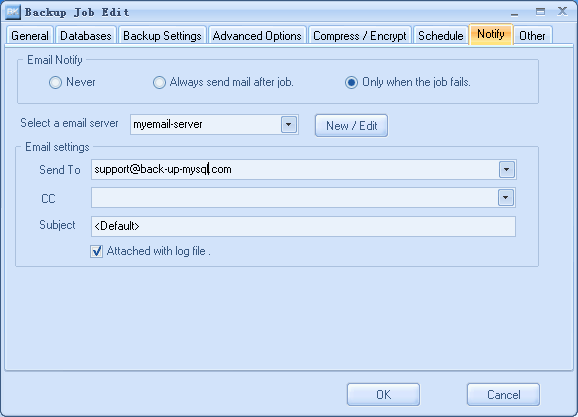
  • Email notify after backing up SQL Server
Why should a SQL Server database be backed up
  • User incorrectly modify or destroy data If a user incorrectly modify or destroy data within the database, the DBA must be perform a recovery and restore the database to the state it was in prior to the user error occurring. You need to backup SQL server database periodically to protect your data.
  • Media Failure If one or more drives used by the database fail , the DBA should restore the database and move its related files to another driver or a new disk .
  • Catastrophic event A major event destroys the data center . The DBA will be responsible for protecting the data from these events and restoring and recovering the databases if such an event occurs. Backup ms sql server is an important way to protect core data of a company .
Microsoft, Windows, Windows 2000,Windows NT ,Windows XP ,Windows 2003 , Windows Vista and Microsoft SQL Server are either registered trademarks or trademarks of Microsoft Corporation in the United States and/or other countries.
What's New

กก

  • Remote management supports
  • Back up multiple databases in one job
  • Log shipping supports in professional edition
  • Flexible backup strategies supports
  • Convert DataBK backups to Microsoft SQL Server raw backups
  • More flexible email notification option
  • Multiple users supports
System Requirements
  • Microsoft Windows 9x/NT/2000/XP/2003/Vista for SQL Server Backup Manager
  • Microsoft Windows NT/2000/XP/2003/Vista for Backup Agent and Storage Server
  • Microsoft SQL Server 7.0/2000/2005/Vista, Desktop or Enterprise Edition
  • 50 MB available hard disk space for program installation
Become Affiliate Partner
    Databk.com provides you a way to offer products for sale to your visitors and earn a commission of every sale.

Learn more ... ...

Home | Contact | Links

Copyright @2008 by Databk.com, all rights reserved.