
After you have created a backup job, you can schedule this backup job now.
This walk-through will show you:
- How to define backup strategy
- How to create a full backup schedule
- How to create a differential backup schedule
- How to a transaction log backup schedule
- How to check job reports
1) In this walkthrough , we define following backup strategies:
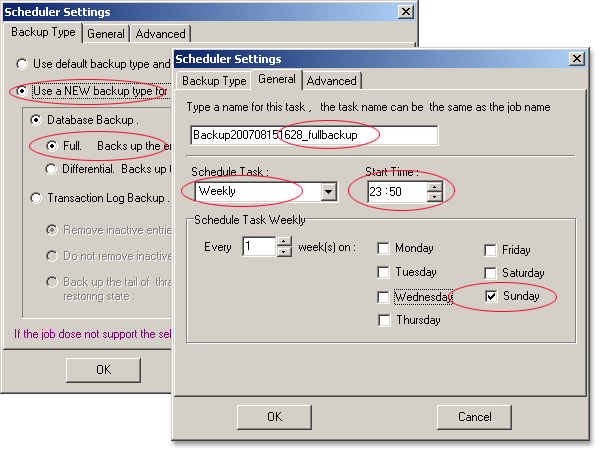
- Do full backup on every Sunday midnight
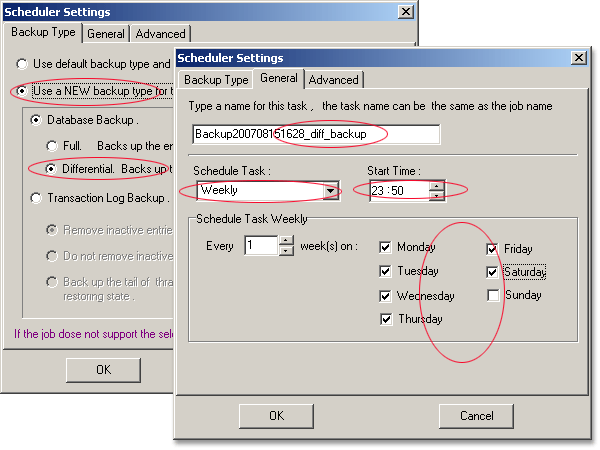
- Do differential backup on every day midnight except Sunday
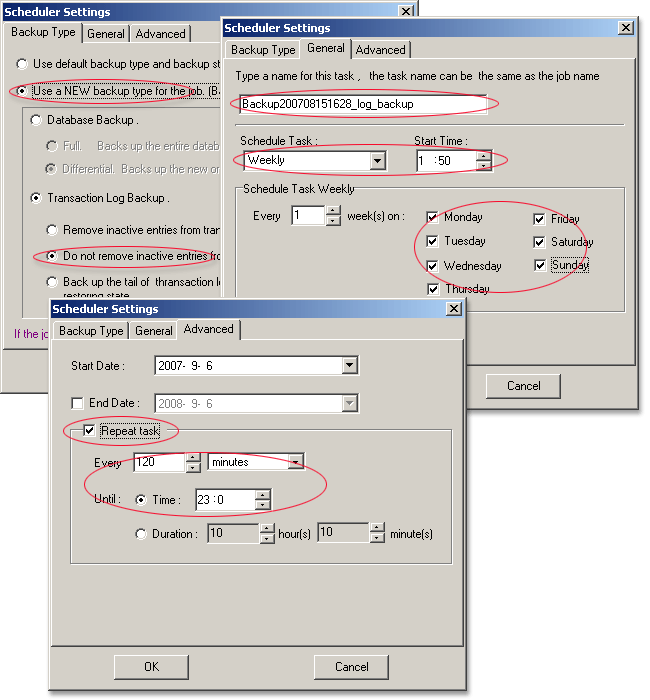
- Do transaction log backup every 2 hours
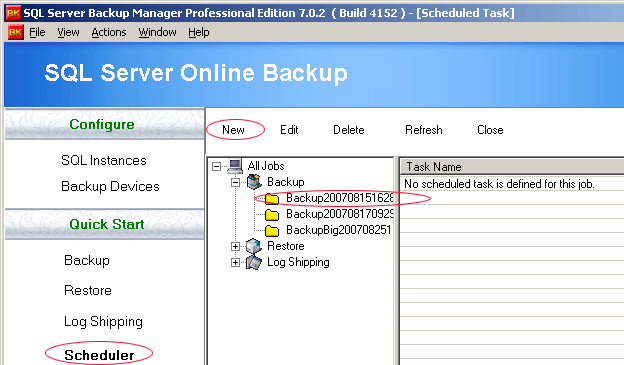
2) Open the scheduler child window , select the new added backup job then click "New" button.
3) Create a scheduled full backup with following settings :
4) Create a scheduled differential backup with following settings :
5) Create a scheduled transaction log backup with following settings :
6) You can view the job report every day to check the scheduled jobs status:
